macOS beta · 7-day free trial · Windows coming soon

Your AI producer lives inside Ableton Live

Connect Claude Code, Codex or DeepSeek Harness to your open project. Write MIDI, load samples and your plugins, shape sounds, arrange and mix — in plain language.

Apple Silicon · unsigned beta build · no Node.js required · Windows — coming soon
VST3 / AU / VST 13 genres Local-only Quick Loop + Shuffle Windows coming soon Created by RAFO
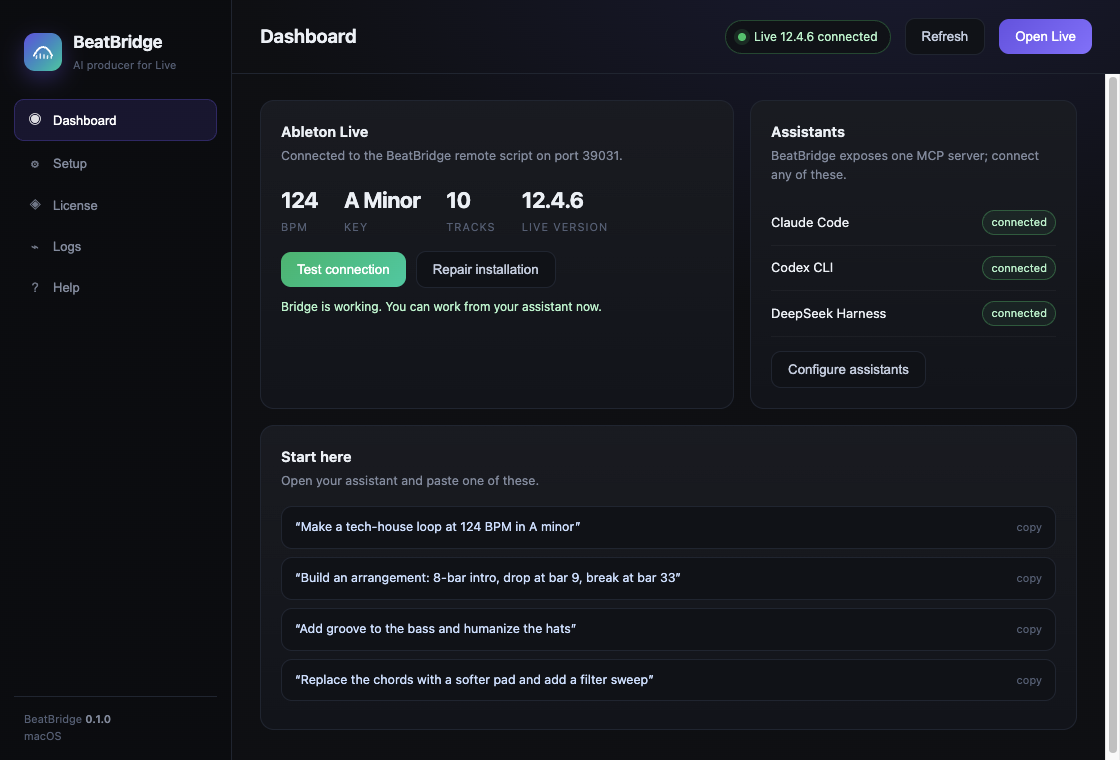
BeatBridge app connected to Ableton Live

Everything in your project, one sentence away

BeatBridge exposes 60 MCP tools to your assistant — no custom prompts, no copy-pasting code.

♬

MIDI & clips

Create and edit clips, write and replace notes, quantize, duplicate, launch scenes and arrange them on the timeline.

◎

Sample library

Searches your local sample folders, Ableton User Library and external drives. Loads one-shots and loops as audio clips with warp.

⚙

Plugins & devices

FabFilter, Serum, Kontakt, Valhalla, stock Live devices — find, load, inspect and tweak parameters by name.

≈

Sound design

Build effect chains, set EQ and compression, add filter sweeps and automation inside clips.

▤

Arrangement

Turn a loop into a full arrangement: place clips at bar positions, add locators, verify with meters.

✦

Ideas on demand

Quick Loop builds drums, bass and chords in a new scene. Shuffle creates variations with timing, velocity and pitch changes.

Three steps to your first loop

Install once. After that it is just conversation.

Connect Live

Install BeatBridge, choose it as Control Surface, press Test connection. The dashboard shows your tempo, key and tracks.

Connect an assistant

Tick Claude Code, Codex or DeepSeek Harness in Setup. BeatBridge registers the MCP server for you.

Ask for music

“Make a tech-house loop at 124 BPM in A minor.” Then iterate: more groove, arrange it, add a filter sweep.

Simple pricing

One payment, two devices, 12 months of updates. Start with a 7-day trial.

Trial

€0
7 days, all features
  • Full toolset
  • No credit card
  • Local-only
Download
Launch price

BeatBridge

€39
one-time · 2 devices · macOS
  • All features
  • 12 months of updates
  • Windows version included when it ships
  • Priority support
Buy BeatBridge
After purchase: your license key arrives by email → open BeatBridge → License → paste → Activate. The app validates keys offline, so it keeps working without internet.

FAQ

Does BeatBridge upload my projects or audio?

No. The remote script only talks to Live over a local WebSocket on 127.0.0.1. Model requests go through your assistant, under its own terms.

Do I need Node.js?

No. The desktop app bundles its own runtime. Node.js is only needed if you build from source.

Which plugins work?

Any VST3, AU or VST that Ableton Live has scanned. BeatBridge loads them through Live's browser and controls the parameters Live exposes.

How do I activate a license?

Open BeatBridge → License → paste the BB1.… key → Activate. Activation is offline and works on 2 devices. The 7-day trial starts automatically on first launch.

macOS says the app is from an unidentified developer

The current build is unsigned. Right-click BeatBridge.app → Open → Open. A signed and notarized build is planned before the public launch.

Is there a Windows version?

Not yet — Windows is coming soon. The macOS build is Apple Silicon (M1 and newer).