Setup
Apple Silicon, macOS 13 or later for local files; macOS 14.2 or later for system capture. Formats: standalone Mac app, VST3 and AU. Install AB on macOS, then rescan plugins in Ableton Live.
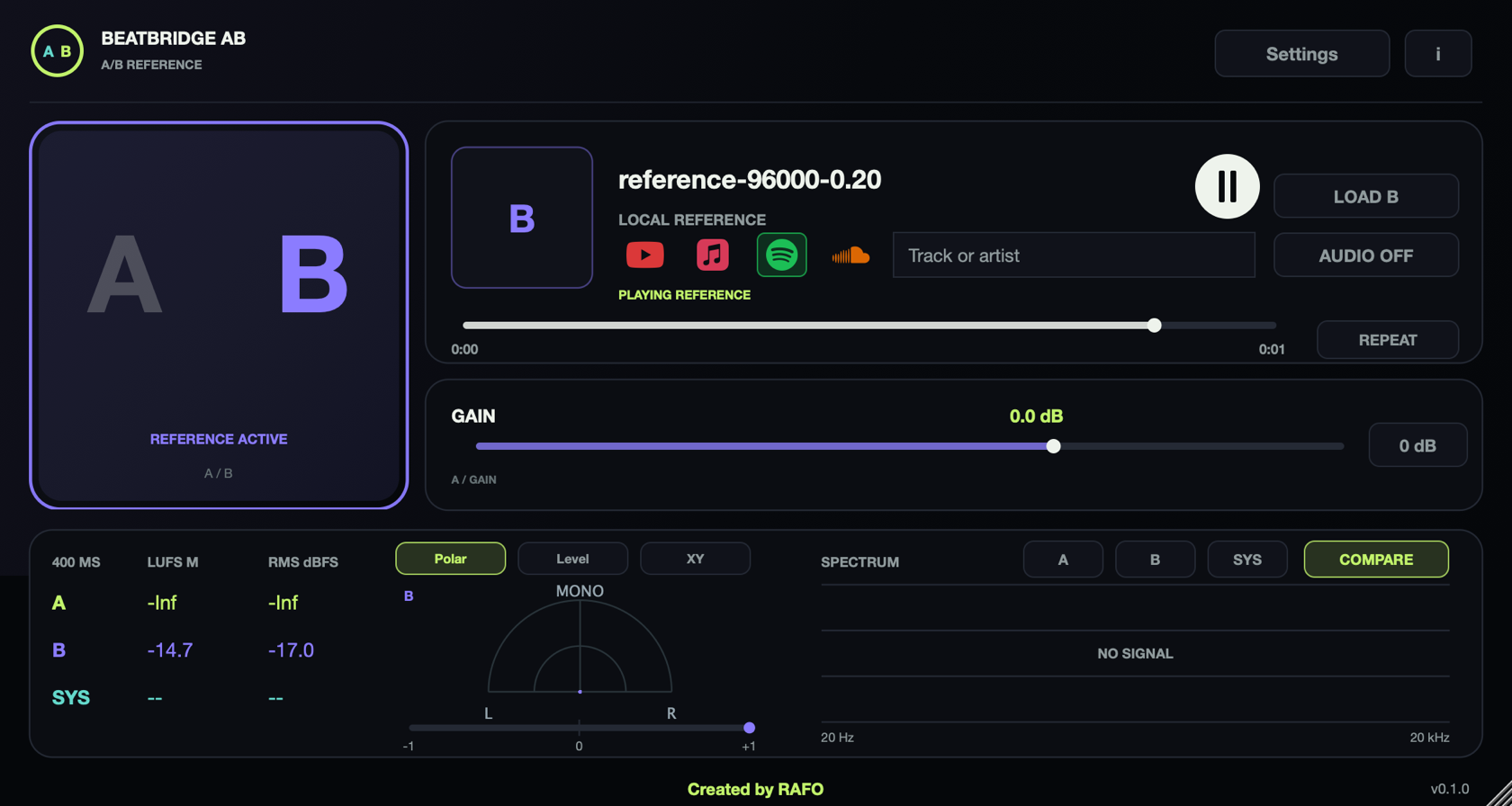
In a DAW, put AB on the channel you want to monitor — usually Main, after the processing you want to compare. A passes the incoming host mix; B replaces it with the reference. In standalone, open Settings → Audio devices, connect your interface and unmute deliberately. Use LOAD A and LOAD B for two local files, or LIVE INPUT to return A to your selected input.
Controls
| Control | Function |
|---|---|
| A / B | A monitors the host mix with the gain trim. B plays the selected local reference or SYSTEM source. |
| LOAD B / drag a file | Load WAV, AIFF, FLAC, MP3 or M4A. A failed replacement preserves the previous file. |
| Play / REPEAT | Start or pause B, and loop the local file. |
| Seek | Click the waveform to seek a local reference. Not available for SYSTEM. |
| Gain / 0 dB | Trim A; 0 dB restores unity gain. |
| Auto-Match | Move A gain toward the reference RMS level. This is not LUFS normalization. |
| SYSTEM | Capture audio from other apps. The host is excluded and other apps are muted while capture runs. |
| AUDIO ON / OFF | Choose browser/system audio for B, or the loaded local B file. |
| Spectrum | Select A, B or SYS for one source; COMPARE overlays the available spectra. |
| A/B/SYS meters | 400 ms LUFS, RMS and polar/level/XY views. |
Comparison and meters
The meter section shows 400 ms readings for A, B and SYS. Spectrum selection is independent: inspect one source or overlay A/B/SYS with COMPARE. Stereo shows one source at a time. Use POLAR, LEVEL or XY for the level view. These are monitoring tools, not an automatic mastering chain.
For a useful A/B, compare similar sections and similar levels. Use Auto-Match as a starting point, then fine-tune by ear. AB does not EQ or master your mix. Use ANALYZER when you need full-song LUFS and true peak.
System audio
- Open macOS System Settings → Privacy & Security → Screen & System Audio Recording.
- In System Audio Recording Only, enable AB standalone or the DAW that hosts the plugin. Enabling only standalone does not grant access to Live.
- Restart that app after granting permission.
- Start playback in the source app, enable SYSTEM, then switch to B.
No screen-image permission is required. Original system playback is muted while capture runs to prevent doubling. Disable SYSTEM to restore it. Use the source app for seek, pause and repeat. Protected content may not be capturable. AB has no streaming-service search, account integration or download function; the service logos open the service, while SYSTEM captures all other apps.
License and trial
AB includes a 7-day trial. Buy the $29 license through Lemon Squeezy; the key arrives by email. In AB open Settings → License or INFO → License, paste the key and press Activate. The license covers 2 computers. Activation needs internet; purchased access is cached for up to 30 days offline. The AB license is separate from BeatBridge and SIDECHAIN. CLIPER and ANALYZER are free and need no activation.
To deactivate a Mac, open the same License panel and press Deactivate. For activation recovery, see activation support.
Troubleshooting
SYSTEM is silent: verify audio-only recording permission for the DAW, restart it, check the source app is playing and the audio engine is running. A is silent in standalone: output starts muted; connect an intentional input with AUDIO and unmute. B is silent: check LOAD B, Play, output routing and host mute. After reopening a project: AB returns on A with B paused; local file path, trim, loop and position are restored if the file still exists. License rejected: confirm the key is from the AB purchase email, not BeatBridge or SIDECHAIN, and that this Mac has internet access.