◉
Integrated LUFS
The overall loudness of the programme — the number that matters when the track is finished.
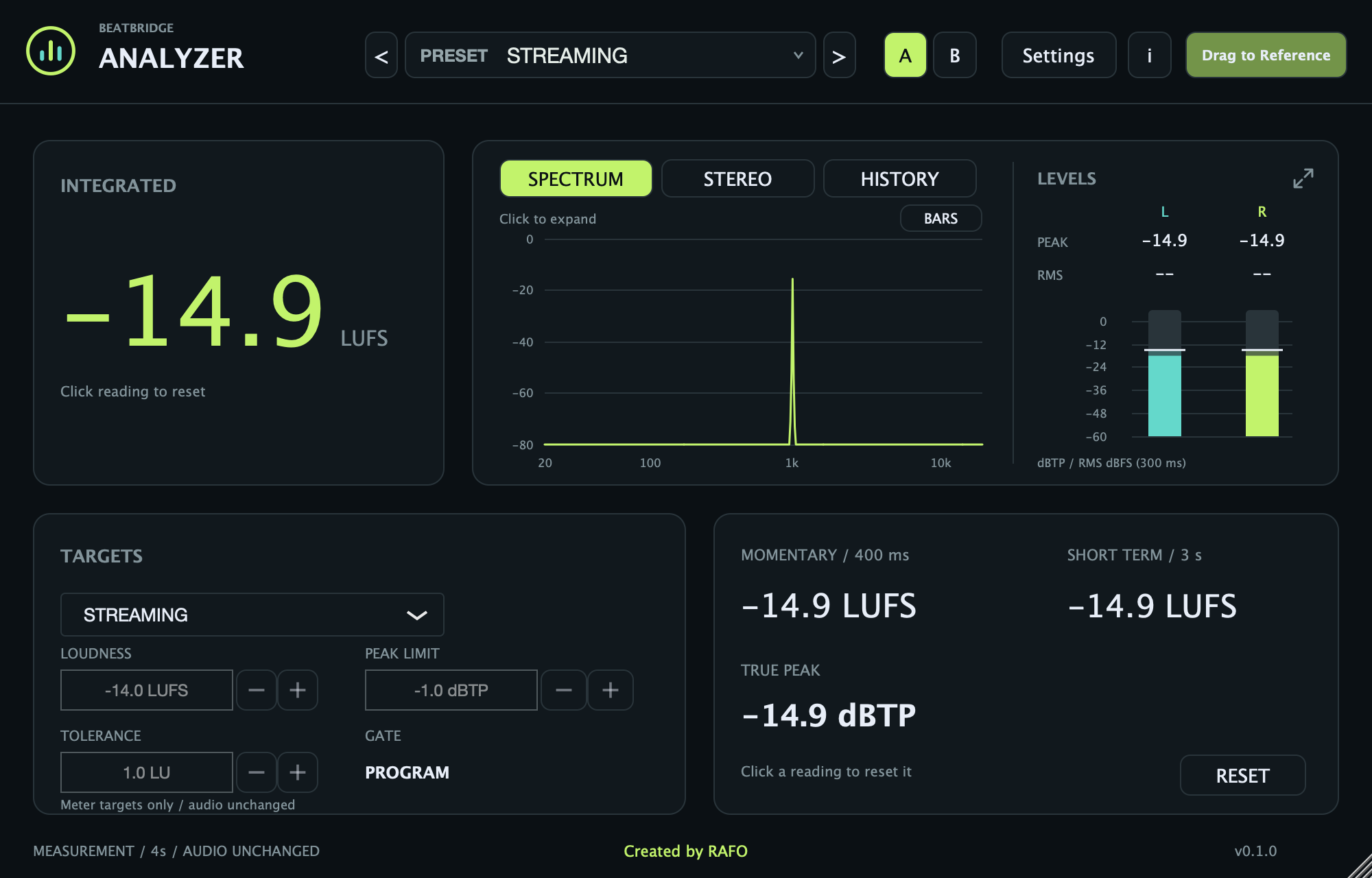
Know the loudness, not the guess. ANALYZER reads Integrated, Momentary and Short Term LUFS, true peak, L/R levels, spectrum, stereo correlation and reference-track comparison in one view.
ANALYZER 0.1.0 · notarized build · free via Lemon checkout.
Free via Lemon · no payment
Streaming targets, club masters and client references all use loudness differently. ANALYZER shows the reading and the target without hiding the difference.
The overall loudness of the programme — the number that matters when the track is finished.
See the loudness move in real time, so you can find the section that needs attention before the master does.
A 4× interpolated true-peak estimate, plus per-channel peak hold and 300 ms RMS meters. Click a reading to reset it.
Choose Streaming, Club Reference, AES Streaming, EBU R128, ATSC A85, OP-59, EBU DPP or Custom. Targets guide comparison; they do not alter audio.
Switch between the spectrum with LED Bars, stereo Polar / Level / XY views with correlation, and M/S/I loudness history. Expand each view for a closer look.
Drop a reference file, compare its readings and graphs, choose a loop on the waveform and audition it. File totals and maxima remain separate from live measurements.
Keep ANALYZER at the end of the chain, after the limiter, so it reads what actually leaves the session.
Play the section, watch integrated and Short Term, and compare the distance to your target.
True peak is the last check before delivery. If it is over, fix the chain — do not just lower the meter.
A free loudness and reference-comparison tool for macOS. No payment, online plugin activation or trial timer.
Yes. The checkout is free, with no payment and no trial timer. It is a full tool, not a limited demo.
No. ANALYZER does not limit or master audio. The normal signal path passes through unchanged. Reference Play auditions the selected reference loop instead of the input; Stop returns to your track.
Integrated LUFS uses BS.1770 programme gating, with 400 ms Momentary, 3 s Short Term and a 4× true-peak estimate. Broadcast profiles are meter targets; dialogue gating and LRA compliance are not provided.
Yes, as VST3 or AU where the host supports those formats. The Mac app works outside a DAW as well.