◒
Gain into the ceiling
Push the signal into the clip point and hear exactly how much the peak stage is doing.
Catch the peaks before the limiter. A clean, native peak stage with the controls that matter — gain, ceiling, character and metering that tells you the truth.
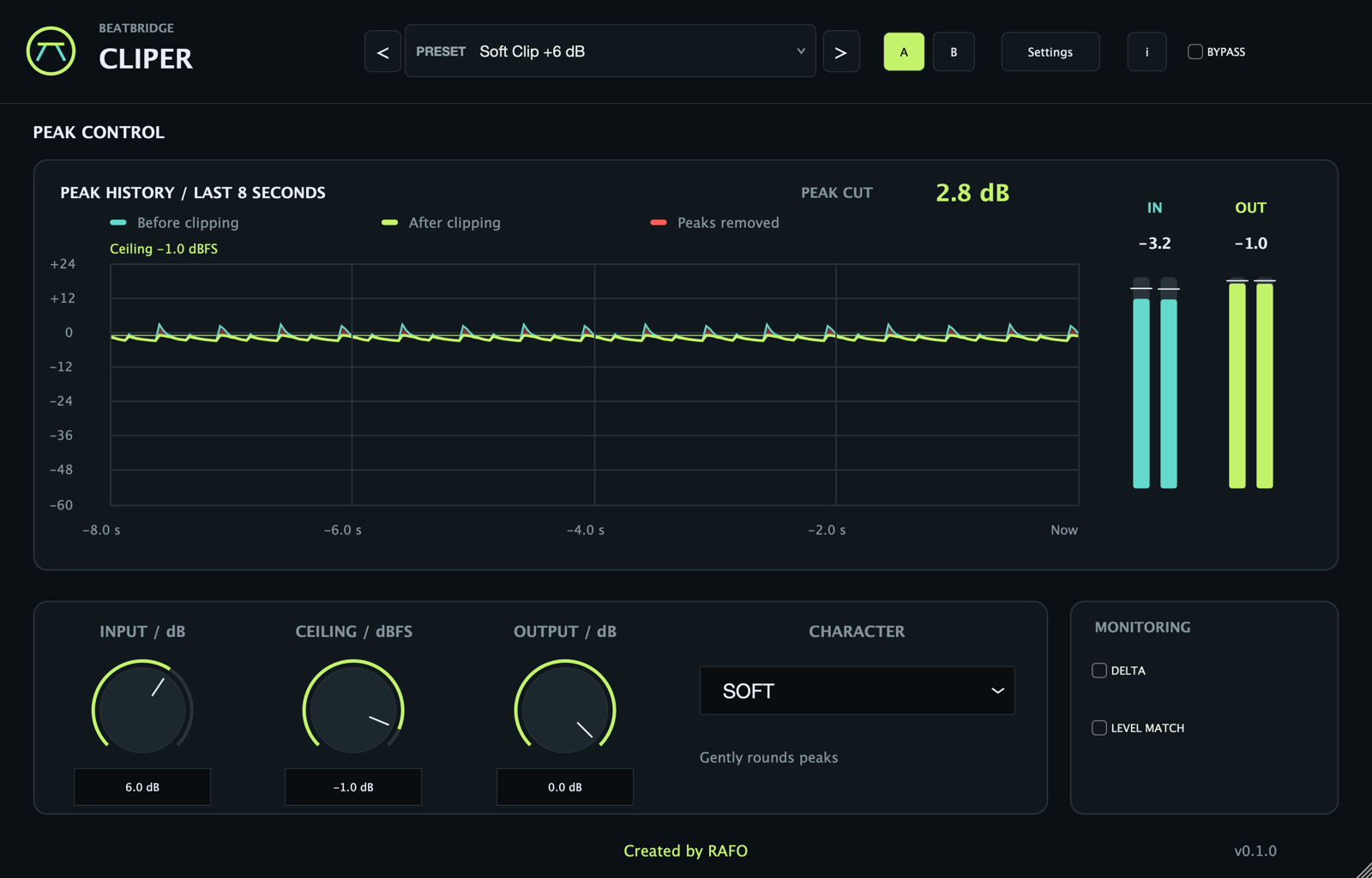
CLIPER 0.1.0 · free via Lemon checkout.
Free via Lemon · no payment
CLIPER does one job before the limiter: reshape the peaks so the loudness stage has room to work. Fixed 4× FIR oversampling reduces aliasing; its latency is reported to the host.
Push the signal into the clip point and hear exactly how much the peak stage is doing.
Hard clips at the ceiling. Soft rounds peaks near the ceiling; Smooth starts rounding earlier. Their difference becomes audible when the signal reaches the clipping region.
Set the sample ceiling, then use Output for attenuation after clipping. Use a true-peak meter and limiter for final delivery checks.
An eight-second peak history shows before and after clipping, removed peaks in red, Peak Cut in dB, and L/R input/output peak meters.
Use A/B to compare settings, Level Match for attenuation-only loudness comparison, and Delta to hear the signal removed by clipping.
Complete the free Lemon checkout and download. No payment, no trial timer.
Place CLIPER before your limiter. It catches the peaks that would otherwise make the limiter work too hard.
Add gain until the peaks start to meet the ceiling. Watch Peak Cut and the red removed-peak areas in the history.
Try Hard, Soft and Smooth. Use Level Match, then bypass and compare. The best setting is the one that stays musical when the limiter follows.
A free peak shaper for macOS. No payment, online plugin activation or trial timer.
Yes. There is no payment, online plugin activation or trial timer. It is a full tool, not a limited demo.
No. CLIPER shapes peaks before the limiter. The limiter still handles final loudness and true-peak safety.
Yes, as VST3 or AU where the host supports those formats. The Mac app works outside a DAW as well.
No. Processing and metering are local.