Your mix / your reference
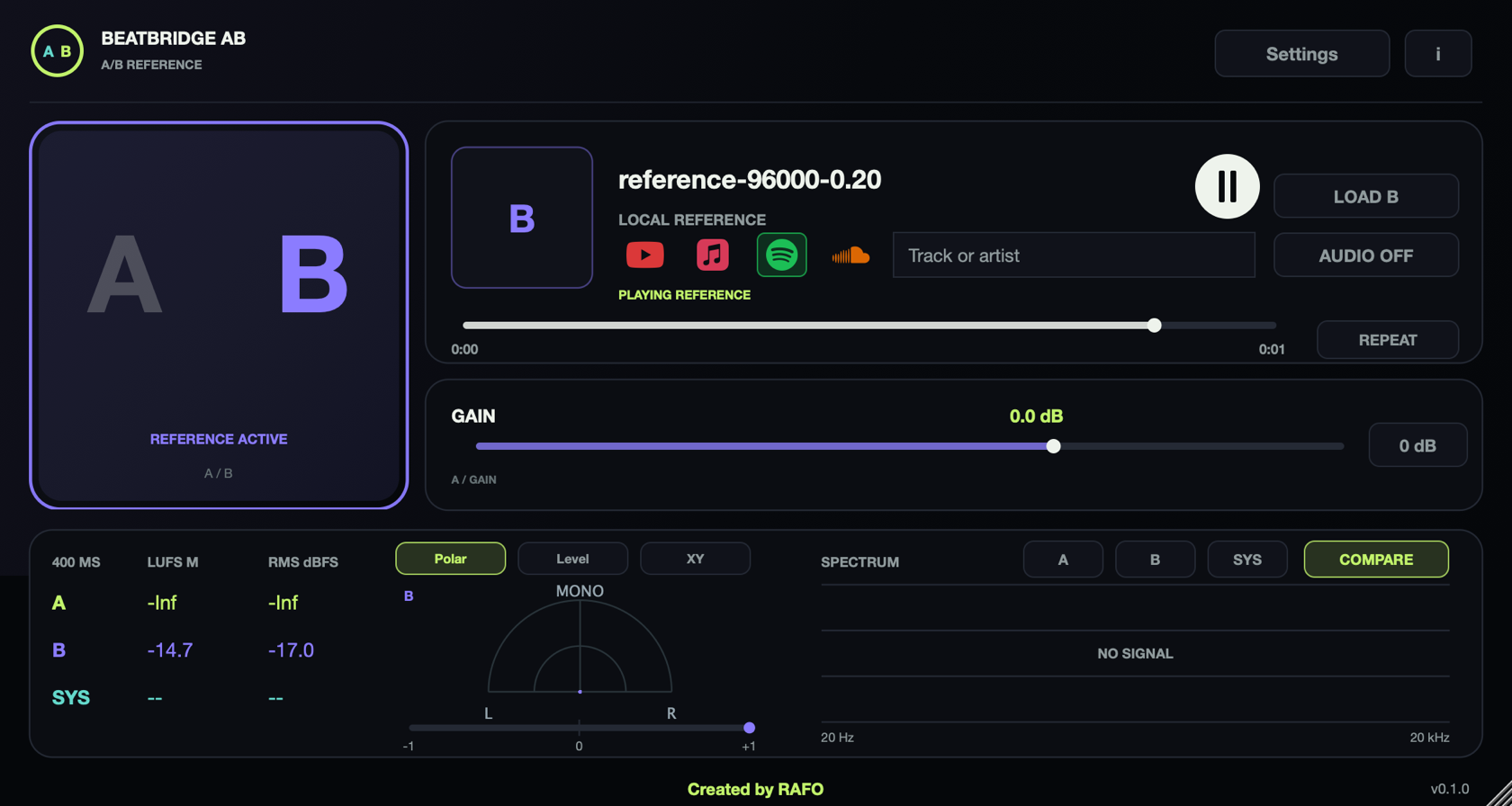
Place AB last on Main in your DAW. A monitors the host mix; B replaces it with your reference. At zero trim, A passes the mix unchanged.
Listen. Compare. Decide.
Your mix. Your reference. One switch.
Bring a reference file into your session or capture audio from another app. Move between A and B, compare at a matched RMS level and hear what your mix needs next.
Mac app + VST3 + AU · 2 computers
Buy through Lemon Squeezy, receive your license key by email and activate it in the AB License panel. Includes a 7-day trial. macOS 13+ Apple Silicon; system audio needs macOS 14.2+.
AB uses the same signed license service as BeatBridge and SIDECHAIN, but a separate license. After purchase, open Settings → License or INFO → License, paste the key and press Activate. Need help? See activation support.
Place AB last on Main in your DAW. A monitors the host mix; B replaces it with your reference. At zero trim, A passes the mix unchanged.
Drop a WAV, AIFF, FLAC, MP3 or M4A, or use LOAD B. Play, pause, seek and repeat without creating another track. A/B/SYS sources are available in the same window.
Capture audio from other apps on macOS 14.2 or later. The current host is excluded, and original system playback is muted during capture to avoid doubling.
Match A toward the reference RMS level, then fine-tune by ear. Compare 400 ms LUFS/RMS meters and switch the spectrum between A, B, SYS or COMPARE. RMS is not LUFS normalization or automatic mastering.
The compact 840 × 448 window keeps A/B, playback, gain and comparison in reach. Project state recalls the local file, loop, trim and position.
Files and captured audio stay on your Mac. System capture needs macOS permission for the app or DAW that hosts AB.
Place the plugin after your mix processing on Main. In standalone, connect an audio device with AUDIO.
Load a file or enable SYSTEM. Grant audio-only capture permission to the DAW for system sources.
Play A and B, use Auto-Match, then switch between them. Adjust your mix with your ears.
No. Play content in its own app or browser and use SYSTEM to capture supported system audio. AB has no streaming-service search, account integration or download function. Some sources may restrict capture.
An Apple Silicon Mac running macOS 14.2 or later, plus audio-only capture permission for the standalone app or your DAW. Local files support macOS 13 or later. Restart the host after granting permission.
In AB, A is your incoming mix and B is the reference. It switches the audio source, rather than comparing parameter snapshots.
Capture ends and normal playback from other apps is restored. SYSTEM does not provide file seeking or looping; use the source app for those controls.
Yes. AB is $29 one-time, includes a 7-day trial and a perpetual license for 2 computers. Buy through Lemon Squeezy; the license key arrives by email and is activated in the AB License panel.
AB uses the same signed license service as BeatBridge and SIDECHAIN. Activation needs internet; purchased access is cached for up to 30 days offline. The license is separate from BeatBridge and SIDECHAIN.